Arch Linux 是一个独立的 Linux 发行版。特点是安装时几乎不带任何额外的包,非常纯净。并且它自带一个强大的包管理器Pacman,使用起来相当方便。
在阿里云上安装
购买了阿里云服务器后,由于它的镜像市场并不自带Arch Linux的发行版,所以我们必须基于其它发行版手动安装Arch Linux。
重置服务器
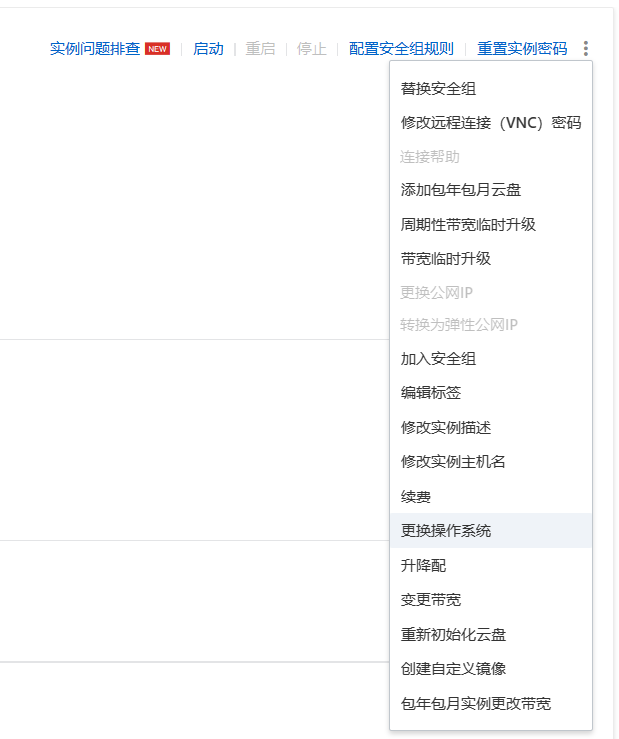
登录阿里云服务器,将操作系统重置成不带uefi的Ubuntu操作系统。
需要关闭云服务器后才能看到重置服务器的选项
下载Arch Linux镜像
从阿里云镜像站里下载最新的Arch Linux镜像到根目录下。
1
|
curl -o /arch.iso https://mirrors.aliyun.com/archlinux/iso/latest/archlinux-x86_64.iso
|
通过Live Mode启动Arch Linux
Edit /boot/grub/grub.cfg file, add code before first menuentry occurs. User lsblk to show your disk info.
编辑文件 /boot/grub/grub.cfg,在menuentry前添加如下代码。可以通过lsblk查看磁盘信息。
请将变量$iso_disk替换成iso镜像文件所在的磁盘位置
1
2
3
4
5
6
7
8
|
set timeout=3
menuentry "Archlinux Live (x86_64)" {
  insmod iso9660
  set isofile=/arch.iso
  loopback loop0 $isofile
  linux (loop0)/arch/boot/x86_64/vmlinuz-linux archisolabel=ARCH img_dev=$iso_disk img_loop=$isofile
  initrd (loop0)/arch/boot/x86_64/initramfs-linux.img
}
|
通过VNC模式登录服务器,并执行重启命令。
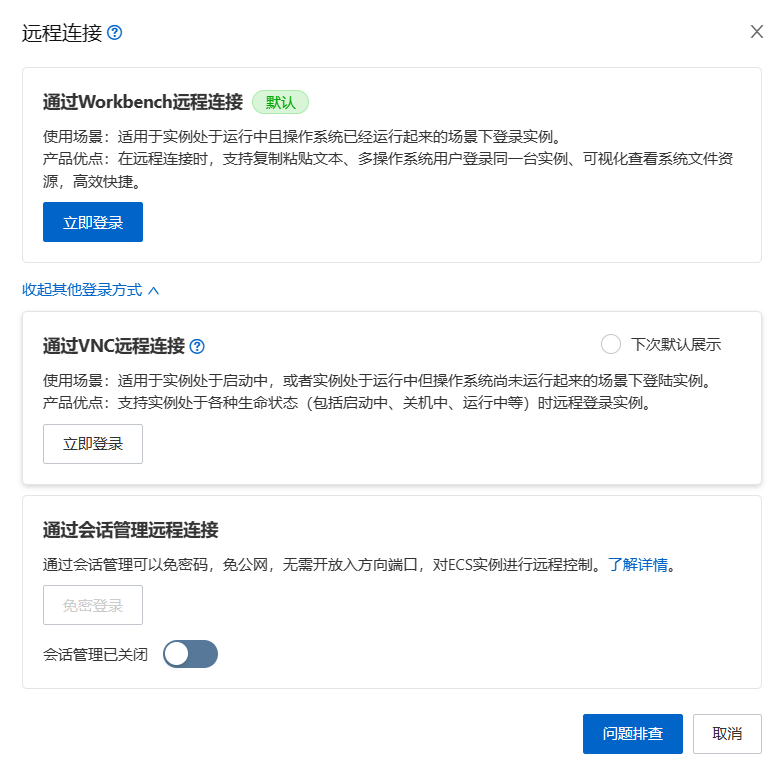
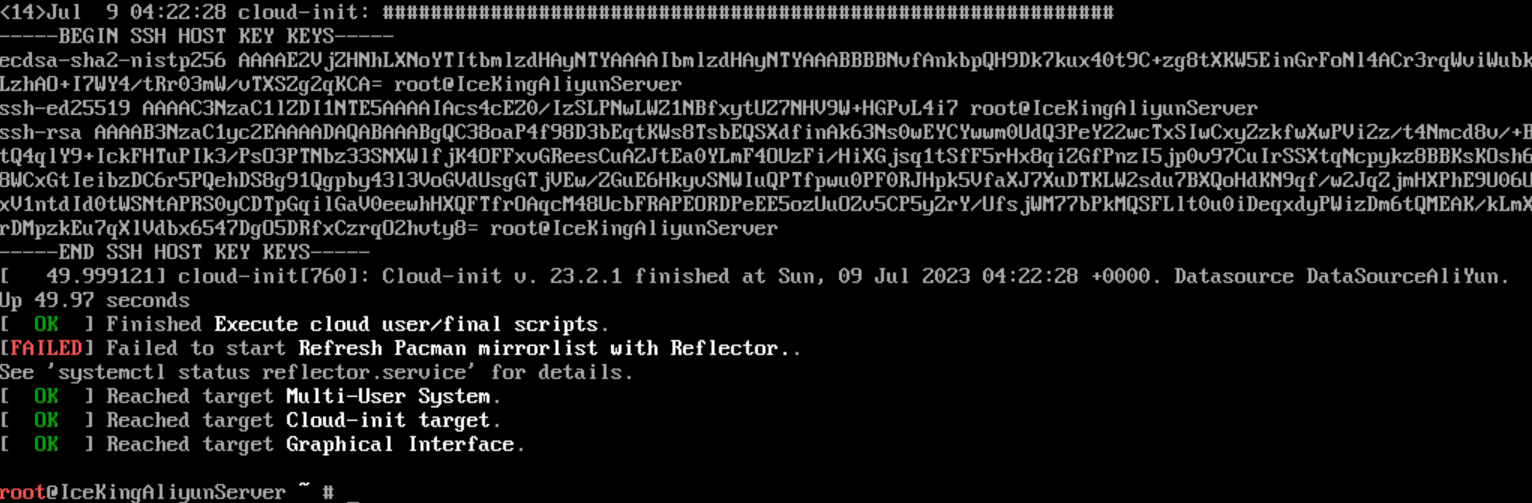
现在我们进入了live CD模式,在进行接下来看步骤前我们需要移除Ubuntu的系统文件。
可以使用lsblk命令查看Ubuntu系统文件所挂载的位置
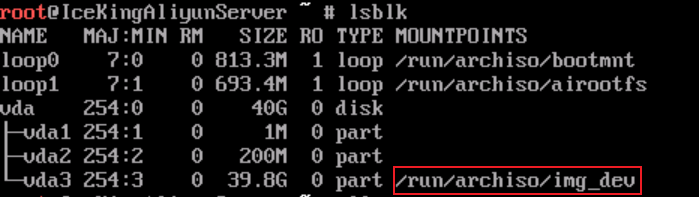
我们需要重新挂载系统磁盘,否则Ubuntu系统文件将无法删除。
1
|
mount -o remount,rw /run/archiso/img_dev
|
如果系统磁盘没有挂载,可以使用如下命令挂载它:
1
|
mount -o rw $iso_disk /run/archiso/img_dev
|
进入对应路径,删除所有原来的系统文件。
1
2
|
cd /run/archiso/img_dev
ls | grep -v arch.iso | xargs rm -rf
|
完成了以上步骤后,我们可以就可以跟着官方教程来安装Arch Linux了。
安装
安装Arch Linux。
在/etc/pacman.d/mirrorlist文件顶部添加阿里云镜像站地址。
1
|
Server = http://mirrors.aliyun.com/archlinux/$repo/os/$arch
|
请将变量$iso_disk替换成iso镜像文件所在的磁盘位置
1
2
|
mount $iso_disk /mnt
pacstrap -K /mnt base linux linux-firmware base-devel grub efibootmgr intel-ucode os-prober openssh git neovim networkmanager
|
设置系统
生成磁盘挂载文件,系统启动时将会自动挂载磁盘。
1
|
genfstab -U /mnt >> /mnt/etc/fstab
|
Chroot
设置时区
1
2
|
ln -sf /usr/share/zoneinfo/Asia/Shanghai /etc/localtime
hwclock --systohc
|
编辑/etc/locale.gen文件,取消这en_US.UTF-8 UTF-8一行的注释,通过以下命令生成本地化相关内容:
1
|
echo "en_US.UTF-8 UTF-8" >> /etc/locale.gen && locale-gen
|
新建locale.conf文件,写入配置以更改语言选项:
1
|
echo "LANG=en_US.UTF-8" > /etc/locale.conf
|
打开/etc/hosts文件,添加地址解析相关内容。
1
2
3
4
|
cat >> /etc/hosts << EOF
127.0.0.1       localhost
::1             localhost
EOF
|
新建/etc/hostname,为主机起一个好名字:
请将$hostname替换成真实的主机名字
1
|
echo $hostname > /etc/hostname
|
安装启动加载器
1
2
3
4
5
6
7
8
|
mkdir /boot/grub
grub-mkconfig > /boot/grub/grub.cfg

# If install on aliyun server, use command below
# grub-install --target=i386-pc /dev/vda

# Otherwise, use this command
# grub-install --target=x86_64-efi --efi-directory=/boot
|
重置root密码并添加第一个非root用户:
请将$new_user替换成真正的用户名
1
2
3
|
passwd
useradd $new_user -G wheel -m
passwd $new_user
|
启用sshd
1
2
|
systemctl enable sshd
systemctl start sshd
|
启用NetworkManager
1
2
|
systemctl enable NetworkManager
systemctl start NetworkManager
|